
If you were to ask authors what they don’t like about the peer review process, a common complaint would be the time it takes to get a decision from the journal. If it only takes a day or so for someone to read a manuscript and give feedback, then why does it sometimes take months to get the reviews back from the editor?
The fundamental problem is that it is hard to find reviewers. The most senior scientists are requested to review the most often, but they are often too busy. Uninterested or busy researchers sometimes just ignore emails requests. Some emails to potential reviewers bounce as the journal doesn’t have their most recent contact info. Some emails are never seen because they were filtered as spam. Significant effort from the editor is sometimes needed to identify appropriate researchers after the usual suspects decline, and senior editors often aren’t familiar with the work of early career scientists.
Every time a review invitation goes unanswered it is necessary to restart the process of finding a new person to contact. Each unanswered review request can easily add one week to the length of the review process, and if several reviewers don’t respond, it is easy for an editor to waste more than a month before the manuscript even finds its way to the hands of the reviewers.
Finding appropriate reviewers is the weakest link in the peer review process, and this problem has only become worse with the increasing number of manuscripts that are being submitted to journals. To help solve this problem, we have developed a new tool, a Reviewer Expertise Database, that journals can easily install and self-host. Those who would like to review for the journal can sign in and select the topics that they are qualified to review and add an email address. Editors can then easily search this database for people that have a specific expertise. Each reviewer is associated with a unique ORCID iD, allowing the editor to easily access their ORCID profile.
Reviewers
Anyone with an ORCID iD can sign in to the reviewer expertise database. The process is opt in, which means that those people who sign up should in principle be interested in reviewing for the journal. No data are shared with ORCID, and authenticating with ORCID is used only to ensure that you have an ORCID iD.

After signing in, the reviewer will see a list of expertise groups, and clicking on a group will reveal a list of expertise topics. Each of these topics has a toggle indicating whether you are an expert on the topic or not, and by default, all toggles are set to off. Clicking on the toggle will change it to yes and update the database immediately.
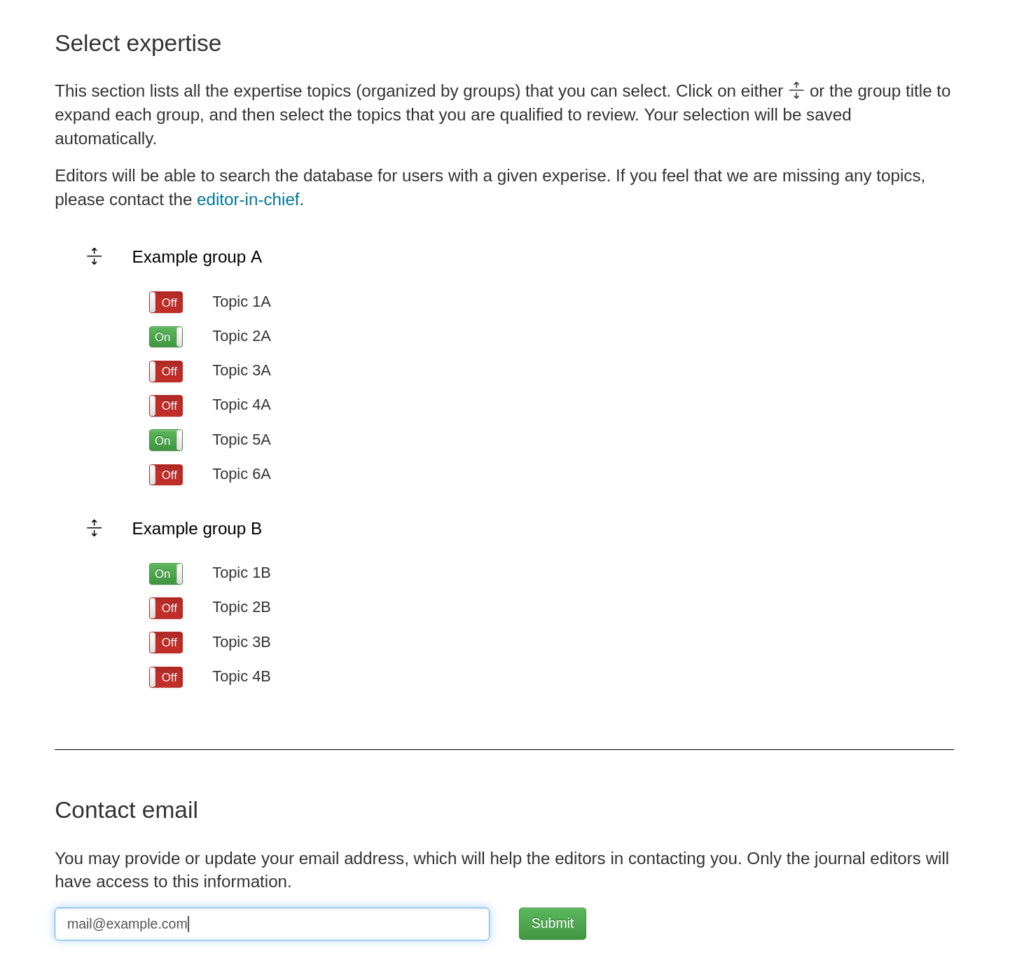
When signing in for the first time, the database will attempt to find an email address on your ORCID profile. Only those emails whose visibility is listed as everyone will be found. If the organization running the reviewer expertise database has a member account with ORCID, then the database will also search for emails that are listed as trusted. If the database did not find your email, or if you would like to use a different address, it is only necessary to add it to the email field and click the submit button.
The reviewer expertise database collects only those data that are absolutely necessary for the database to work: an ORCID iD, a list of expertise topics, and an optional email. The database does not collect IP addresses or save any logs. Anyone can delete their account at any time, which removes immediately all personal information from the database.
Editors
Users who have been given the role of editor have access to a dashboard that allows them to search for users (or other editors) with a given expertise. This page is nearly identical to the user page in that the editor is given a list of expertise groups and topics to choose from. The editor can choose a single topic, or select as many topics as are necessary to narrow down the search.
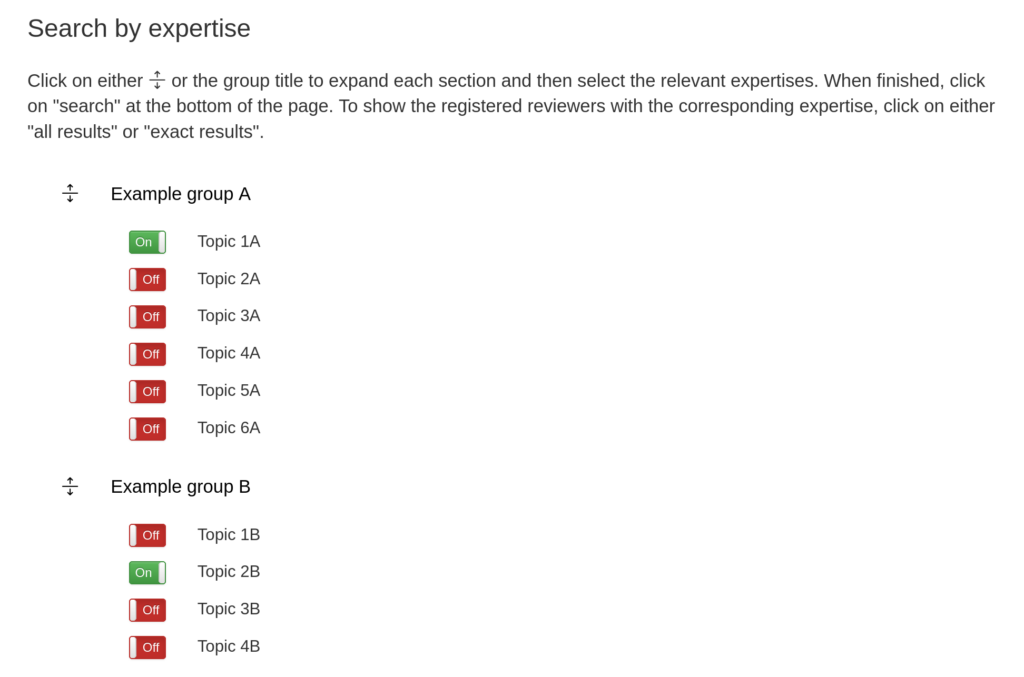
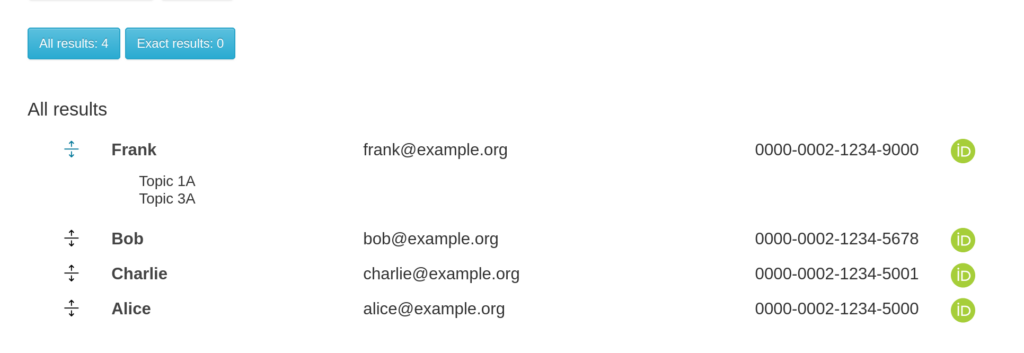
Clicking on search will provide two results: all results (logical or) and exact results (logical and). Clicking on the all results button will show a list of reviewers who are experts in at least one of the topics that were selected. Clicking on the exact results button will instead show only those reviewers who are experts for all of the selected topics. Each list provides the user’s name, which can be clicked on to see all of their expertises. The list also provides their ORCID iD that can be clicked on to see their ORCID profile and an email address if they provided one.
If the search results didn’t find the person you were looking for, you can use the Search by name option and type their name into the text box. After clicking submit, the database will return a list of registered users that contain this string in either their first or last name.
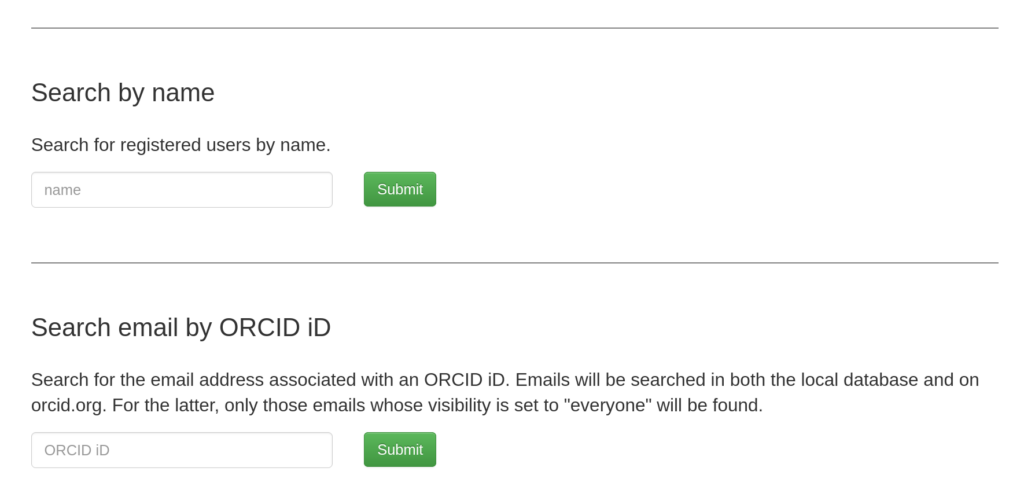
And if you already know someone’s ORCID iD and you would like to find their email address, you can use the option Search email by ORCID iD. By typing in an ORCID iD and clicking on submit, the database will search for an email on the user’s ORCID profile. Only those emails whose visibility is listed as everyone (or trusted for ORCID member accounts) will be found.
Administrators
As an administrator, you have access to a dashboard that allows you to make modifications to the site. First, you can can create new expertise groups, rename existing groups, or deactivate the group so that reviewers can’t see it. You can add new expertise topics, rename existing topics, and deactivate topics. You can also reorder the groups and topics if you don’t like the default alphabetical ordering.
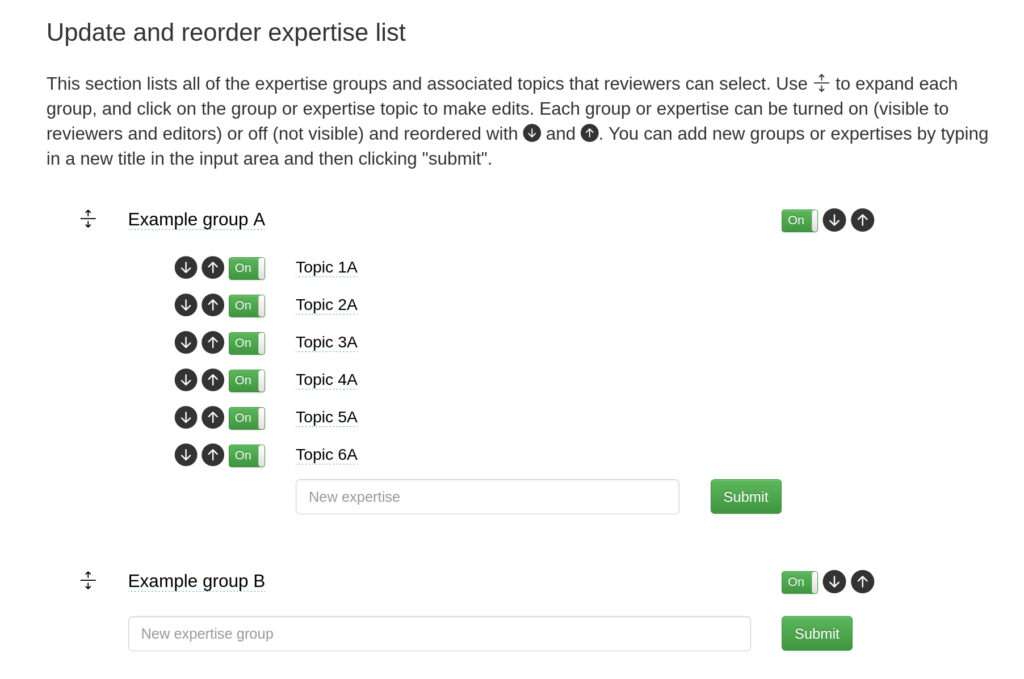
Administrators can also modify the permissions of users, or add new users to the database. It is only necessary to type in the ORCID iD and then select their new role, which can be either reviewer, editor, or administrator.
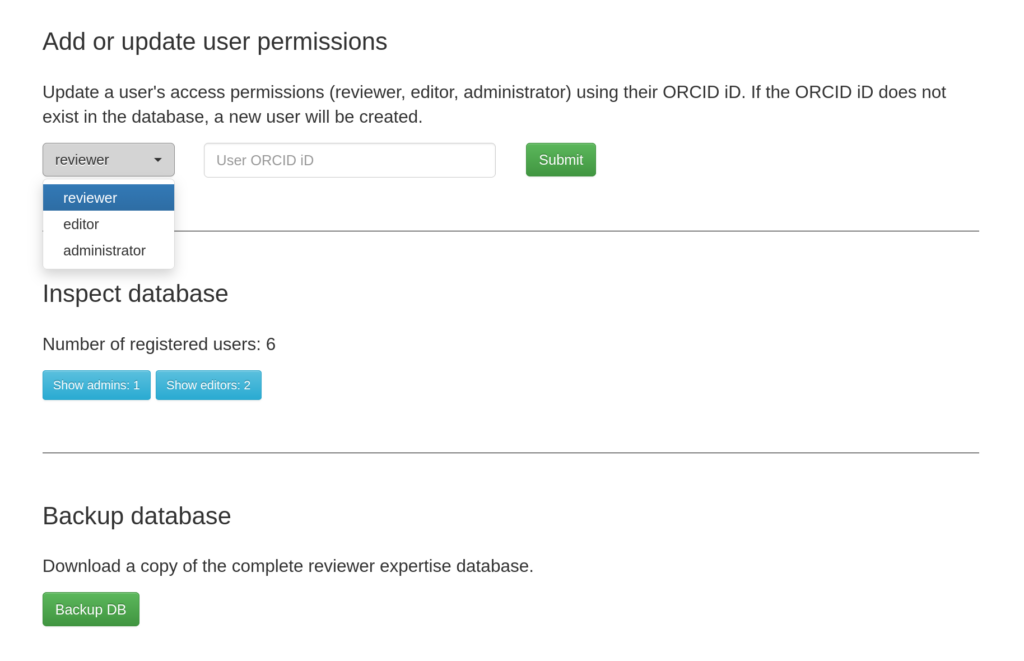
Administrators can also easily inspect the database. You can find out how many people are registered and list all the editors and administrators. And lastly, you can download the complete database for backup purposes.
Installation
Installing the reviewer expertise database is simple if you have access to a linux-based server. It is only necessary to clone our Codeberg repository and then edit a single environment file that contains all the branding information for your site (like the journal name, links to the journal and journal policies, etc.). The application is python based and is open source. The software uses a single SQLite database that is created locally and is never shared with other parties. Detailed instructions on how to set up your own server is given in the project’s readme file.